 JG McQuarrie |
March 20, 2026
JG McQuarrie |
March 20, 2026


Mixing is a crucial part of putting any track together, and it can make or break how good a song sounds. There is a lot of information available about the best way to mix and what the best approach is. Some of this can be confusing, contradictory, or even plain wrong. Can you mix with headphones? And what's the best approach? Let's find out!
Is Mixing with Headphones Even Possible?
Yes! Yes, mixing with headphones is absolutely possible. However, there are plenty of things that you need to keep in mind when mixing with headphones to ensure the best results.
Headphones mixes can produce great results, and a good set of headphones can provide a mixing engineer with the sort of quality they require. A good set of headphones should be able to replicate pretty much any sound you require of them, which means they can be used for effective mixing.
Pros and Cons of Mixing With Headphones and Speakers
There are advantages and disadvantages to mixing with headphones and speakers, and which will work for you will depend on exactly what it is you want to achieve. Understanding the pros and cons of each will help you decide what the best approach is for you.
Headphones
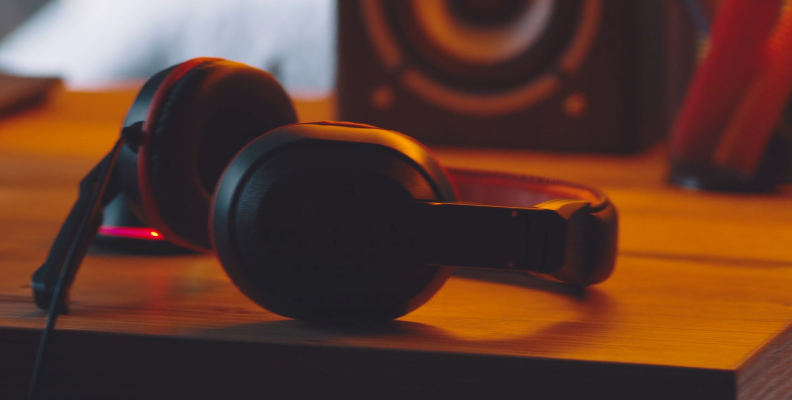
Pros:
Cost: Studio monitors are expensive! And sometimes, really expensive! This can prove to be a prohibitive barrier to some. Headphones, even high-end headphones, are much cheaper than full studio monitors and can still produce excellent results, especially if paired with a really good audio interface.
Size: Studio monitors can be huge and can take up significant desktop real estate. Towering, bulky speakers aren't going to work for all listening environments, so opting for headphones greatly cuts down on the amount of physical space you require.
Consistency: No matter where you are, wearing headphones will always produce the same results and is not dependent on the room acoustics you're mixing in. Whether you're in a professional mixing environment like a studio or mixing in a bedroom, the results are always the same.
Sound Detail: Because the physical distance between the headphone and your ear is very small, you can pick up a lot of detail. There's no echo or anything else to get in the way of what you're hearing, so the detail you hear in the sound is extremely fine.
Cons:
Ear Fatigue: Just like any other part of your body, your ears can become fatigued. Listening to loud music on headphones is much more likely to trigger ear fatigue than listening to music on speakers or studio monitors. This can make it harder to differentiate sounds or make good mixing choices.
Stereo Image and Sound Stage: Listening on headphones can cause issues when trying to judge things like panning or where to put something in the stereo picture. That's because when you listen to something on headphones, any sound that is in the center of the stereo image sounds like it's "inside" your head, rather than directly in front of you. This can also affect how you perceive sounds that are panned to the far left or right of the stereo image, making them seem distant and disconnected from other parts of the mix.
Colored Sound: Different types of headphones produce different types of sound. Closed-back headphones have a tendency to over-stress the treble and bass frequencies in a recording. Open-back headphones can often have a flat, uninvolving midrange and don't produce a lot of sub-bass either.
Speakers
Pros:
More Natural Sound Stage and Stereo Image: Compared with headphones, speakers have a more natural stereo image because the sound isn't "inside" your head but instead is being heard as you really would hear it. This makes finding the correct balance and positioning of sounds easier, and accurate monitors can produce amazing sound.
Less Ear Fatigue: The inverse of headphones, listening to sound through open speakers is much less likely to cause ear fatigue (however, that doesn't mean it will never happen!).
Bass Sounds Better: Lower frequency response tends to be better on speakers, so the bass feels more natural and organic. This makes it easier to integrate into your mix.
Cons:
Cost: Speakers, and especially high-quality studio monitors, are much more expensive than headphones. If you're working with a limited budget or don't have access to studio monitors in some other ways, cost can be a real determining factor.
Portability: Studio monitors are big! If you want to do some mixing on the road or in a venue, balancing live sound, then studio monitors are going to be impractical. Additionally, that's to say nothing of the damage they might incur getting taken out of a studio environment.
Lack of Isolation: Speakers work best when they are installed in a consistent, controlled acoustic environment. Ideally, that would be in a studio, but anywhere else where there are other people, sound leakage, or other environmental factors means that speakers will be a less than ideal solution.
Choosing the Right Headphones for Mixing
There are a number of different factors that need to be taken into consideration when choosing the headphones you want to use for mixing. Getting your headphone selection right will make a big difference to the quality of the sound.
Open-Back Headphones:
Open-back headphones are often seen as an ideal choice for mixing, and studio headphones are often open back. Open-back headphones have perforated ear cups, which allow the sound you're listening to pass through in a natural way. This helps preserve the characteristics of the sound you're listening to as closely as possible. It also most closely resembles the way speakers work.
However, because of the perforated ear cups, open-back headphones tend to leak sound, making what you're listening to annoyingly present for anyone else within earshot. Open-back headphones also tend to lack sub-bass, so if you're focused on the low end of the frequency spectrum, they may not be the best choice.
Closed-Back Headphones:
In contrast to open-back headphones, these have sealed earcups. This helps to block out external noise and reduces the amount of sound leakage that occurs. This makes them more suited to working in environments that may not be perfectly silent (such as mixing at home). Closed-back headphones also tend to have much better bass. Because the sound is trapped between the listener and the earcup, it resonates more, sounding deeper and more natural.
Ear fatigue tends to be more of an issue with closed-back headphones - because there's no air circulating between the headphones and the listener, ears can get tired much quicker. They can also get hot or uncomfortable if you are listening for long periods of time. The stereo picture issue can be more prevalent with closed-back headphones, so the stereo width may not sound correct.
Tips for Mixing with Headphones
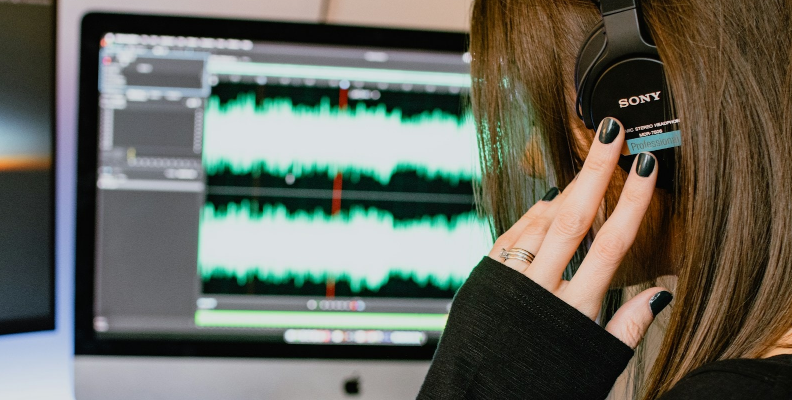
Make the Right Choice: There are dozens of headphone models on the market, open and closed headphones, cheap and expensive ones. Choosing the right pair that works for you is crucial. If possible, try before you buy so you can get a good feel for what's going to suit you and the style of music you're working with best. However, one absolute - don't use earbuds! Their quality is almost never good enough for headphone mixes, they will sound thin in comparison, and you always want a wired rather than a Bluetooth solution for the best quality.
Headphone Amps: Any good set of headphones should have a good headphone amp to ensure the quality of sound is as good as possible. Often this will be part of an audio interface, but you can also get separate headphone amps, which will help you get the best from whatever playback system you are using and ensure the audio you hear is what you should be hearing.
Flat Frequency Response: Whenever you're mixing, you want to listen with as flat a frequency response as possible. This will let you hear everything in as natural a way as possible before you start making adjustments. A neutral sound will help you make the right mixing decisions.
Reference Mix: Many DAWs (Digital Audio Workstations) and plugins will give you the option of having a reference mix. This can really help audio professionals get the sound they want when mixing on headphones - it's a lot easier to understand what you want to achieve if you have a reference mix to judge the changes against.
Limitations of Headphone Mixing
While headphone mixing can be effective, it's important that there are some limitations as well. Ear fatigue and inaccurate panning have already been mentioned, but it's also worth noting that headphone mixing also reduces the amount of room interaction you have. That means you're not hearing the sound "out loud" and hear a more direct sound.
This can lead to dry sound or cause engineers to over-process mixes. A mix that sounds great on close listening on headphones might not sound quite so good on a car stereo, for example. A good mix engineer will be aware of this and compensate accordingly. Crossfeed plugins are a good way of solving this issue. They mimic the way sound naturally blends and comes together, making it easier to judge your mix.
Tools and Other Useful Plugins
There are many tools and plugins on the market to help any audio engineer get the best from their mixing.
Samplitude

Samplutude from BorisFX is a complete music production suite for any audio professional looking to up their game. Mixing and mastering have never been easier, and monitoring is of the very highest quality. There's plenty of support for whatever sound you're working with, including Dolby 5.1 support, and the software is intuitive to use but powerful and flexible enough to prove itself as the ultimate mixing and mastering tool.
Mix Room Plugins
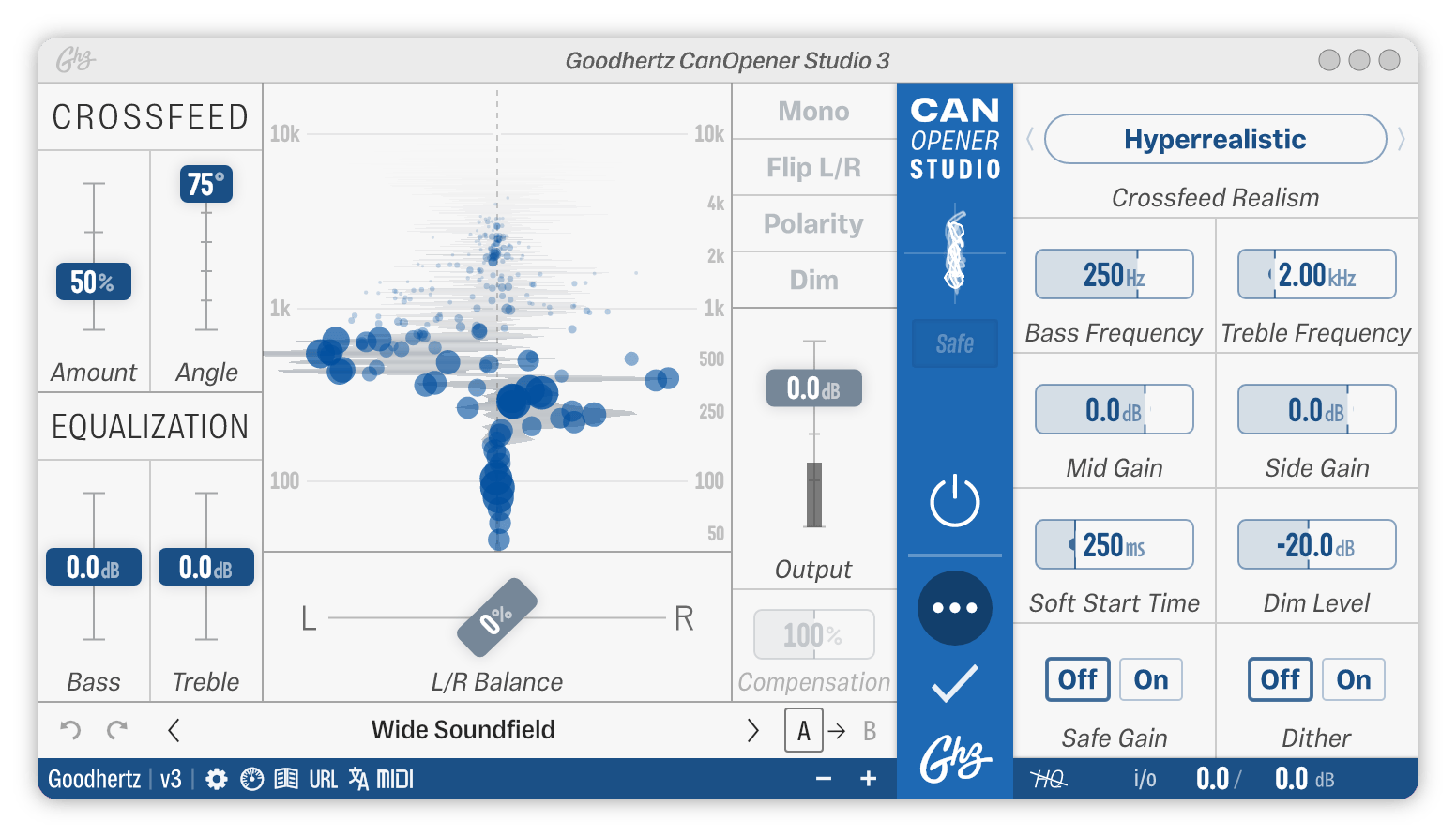
Being able to recreate a mix room through software is incredibly useful, especially when using headphones for mixing. Some mix room plugins will try to recreate specific rooms or other listening environments, which can be valuable to produce specific results. CanOpener Studio is a great little plugin that allows you to quickly and simply create the environment you need and will reproduce a speaker-type sound with a minimum of fuss. At $79.00, it's extremely affordable too!
Frequency Response Correction Tools
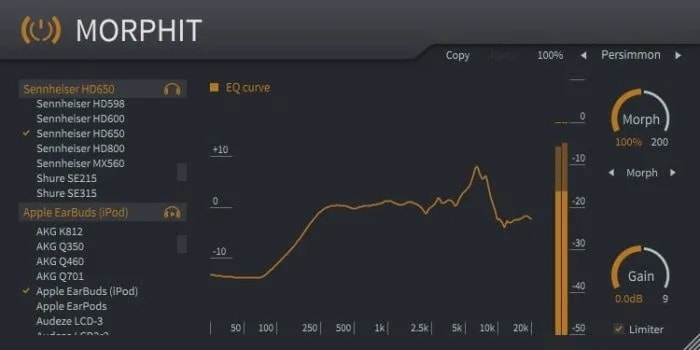
Frequency response correction tools are plugins that help to even out and flatten out peaks and dips in the frequency response of the headphones you're mixing with. This helps to create a more neutral sound and compensates for any variations different hardware might produce, making it easier to make the right mixing choices. Morphit from Toneboosters has hundreds of different headphone models available, so it's almost certain they'll have your brand, and the plugin is very easy to use - select your headphones and let the plugin do the rest. It's a simple, quick, and very affordable solution to make sure your mixed audio sounds as natural as possible.
Final Words
When it comes to mixing, headphones are an affordable, portable, and professional solution. Understanding what's involved in headphone mixing will help you produce the best sound, whatever type of music you're trying to produce. So now all that remains is produce those great mixes!