


















AI Tools That Instantly Improve Audio
Separate Instruments
Split any music track into vocals, drums, bass, and other (guitar, synth, and more).
Isolate Voice from Music
Cleanly separate, adjust, or remove voice from music, whether in the studio or the field.
Deconstruct Cinematic Scenes
Remove, mix, or extract music, sound effects, background noise, or dialogue from fully rendered scenes.
Denoise, Level, and Enhance
Instantly remove noise, echo, wind, and more while auto-adjusting levels and enhancing clarity.
Hear the Difference.
Try It Yourself.
Choose a model, press play, and move the sliders to hear how SoundApp can demix and denoise your audio in real time.
What's Included
Everything you need for professional audio demixing and denoising in one package.

FOR ANY PROJECT
SoundApp Standalone Application
Demix and denoise with a growing list of powerful AI models. Separate vocals, drums, bass, and more. Remove noise, echo, wind, and other distractions. All in a fast standalone application — no DAW or editor required.
FOR DAW WORKFLOWS
SoundApp ARA Plugins
The SoundApp engine as an ARA plugin. Work inside your DAW timeline.
SUPPORTS
WHAT'S INCLUDED:
- ARA2 plugins
- Full access to SoundApp’s AI models
- Integrates with your existing session
FOR VIDEO AND PODCAST EDITORS
CrumplePop VST, AU, and AAX Plugins
Fast, one-slider audio enhancement plugins.
SUPPORTS
WHAT'S INCLUDED

AudioDenoise

EchoRemover

WindRemover

TrafficRemover

ClipRemover

Levelmatic

PopRemover

RustleRemover

Voice Enhance

No Cloud Required.
No Credits Needed.
Fast, Private, and Processed Locally on Your GPU.
Unlike cloud-based tools that require uploads and processing queues, SoundApp runs directly on your computer.
Your audio never leaves your device, keeping private data private without relying on the cloud.
No credits to purchase. No upload limits.
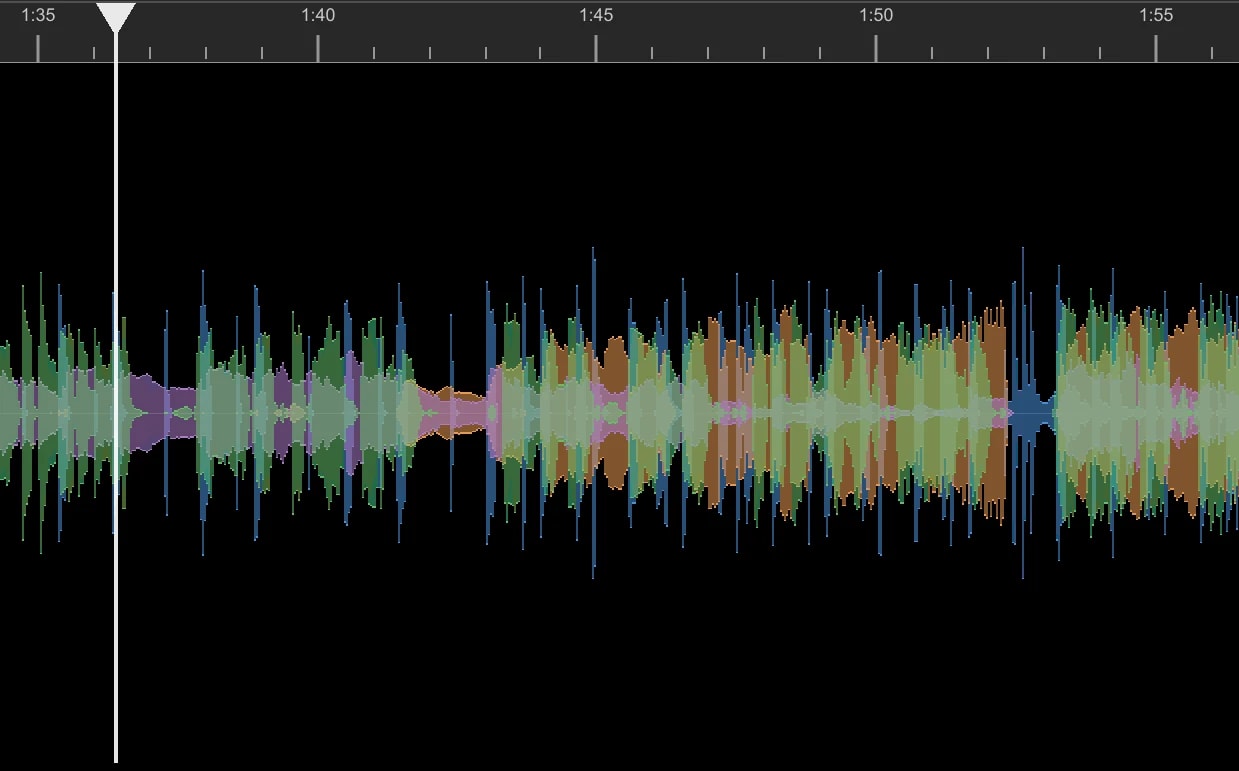
Designed for Speed and Performance
Seek and Go.

Custom Trained Models for Better Sound
ARA Plugin
SoundApp is available as both a standalone application and an ARA plugin for Pro Tools, Sequoia, and more.
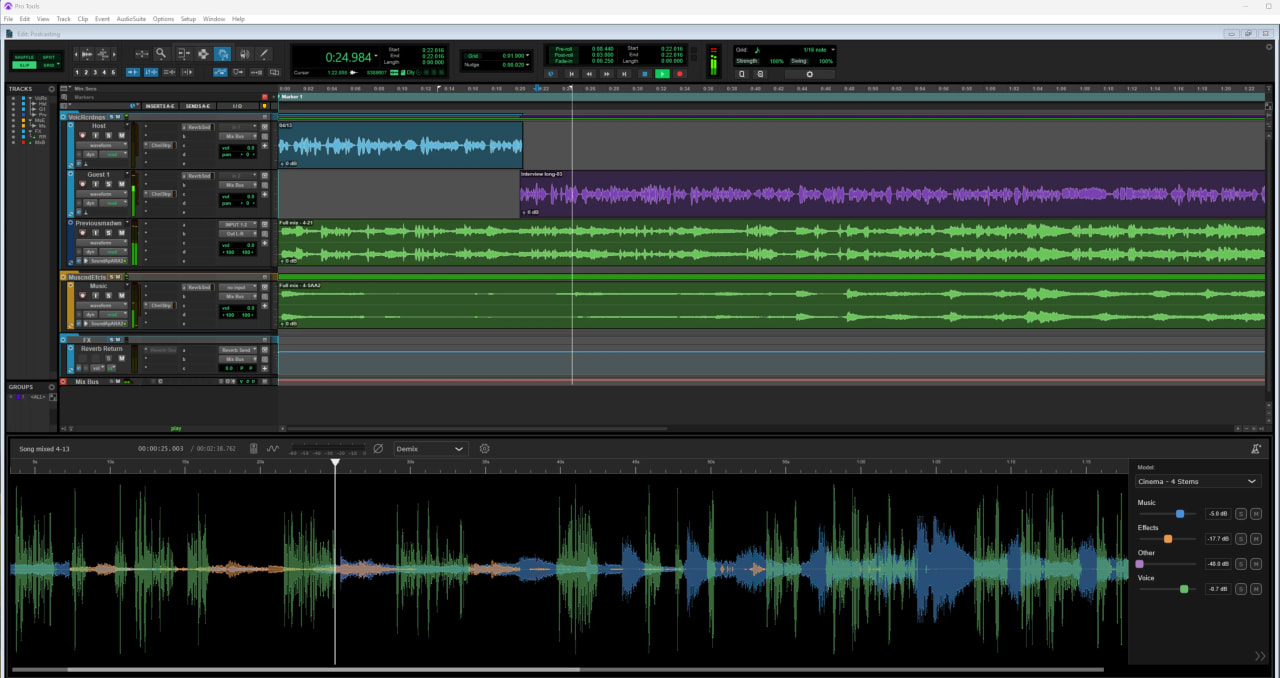

Demix: Extract, Rework & Remove Audio
Take a fully mixed audio file and easily separate it into editable elements without going back to your original project or session.
SoundApp extracts, readjusts levels, or removes aspects of your audio, including music, voices, sound effects, or individual instruments. Simply drag & drop your video or audio file into SoundApp, select Demix, and find the area you want to preview.

Music 4 Stems: From Final Mix to Four Tracks
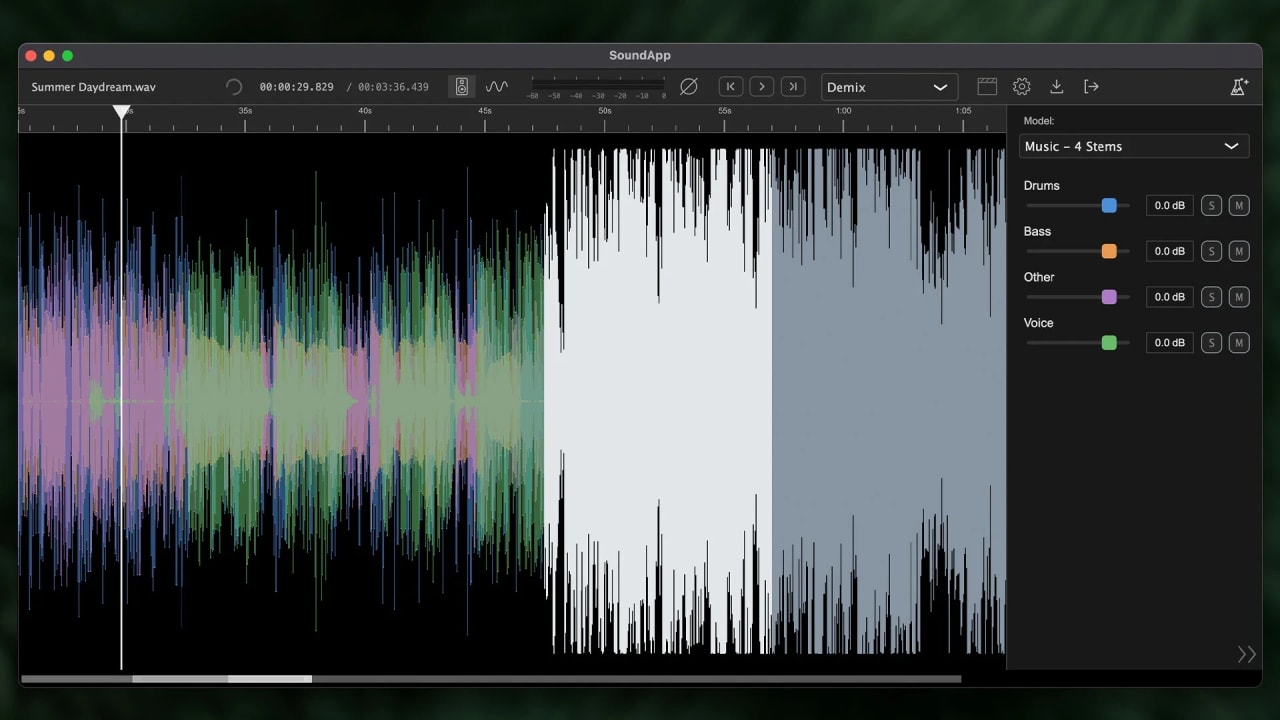
Instantly separate any song into Voice, Drums, Bass, and Other (Guitar, Synth, etc.), export clean audio tracks, and drop them onto your timeline for complete control.
- Quickly isolate or remove instruments
- Readjust levels
- Export each stem individually
Music 4 Stems makes working with finished tracks fast, flexible, and intuitive. It’s perfect for video editors, remixers, and music makers alike.
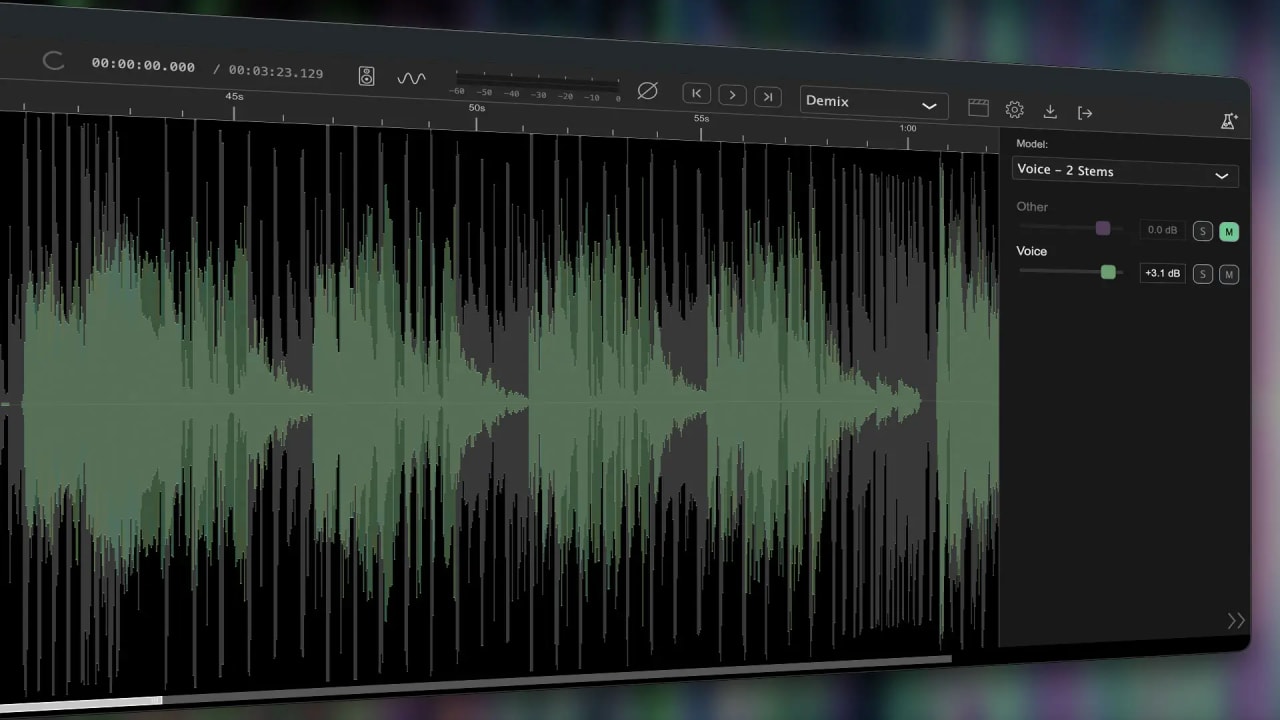
Voice 2 Stems: Separate Voice from Music
Instantly pull voice from any music. Quickly create instrumental or karaoke tracks, isolate vocals for sampling and remixing, or reduce music that popped in the background.
Voice 2 Stems gives you clean, isolated vocals and music that you can easily use in your own projects without needing the full multitrack project.

Cinema 4 Stems: Final Export to Editable Tracks
Split any video or audio file into Voice, Music, Sound Effects, or Other.
- Easily pull dialogue to reuse in other projects
- Export original sound FX for future continuity
- Remove music from a video that no longer has clearance
You don’t have to open your NLE or dig through archival folders. Open SoundApp, make your adjustments, and export. That’s it.
Get a music file from a client, but the drums are far too loud?
SoundApp rescues the project. Music 4 Stems takes your audio file and breaks it into 4 adjustable tracks, Voice, Drums, Bass, and Other (guitar, synth, and more).
Incredible performance, awful room?
Voice 2 Stems instantly splits voice from music and roomtone. Easily create instruments, extra vocal parts, or clean up vocals before mixing to give yourself the best starting point possible.
Need a voiceover from an old client video?
Cinema 4 Stems lets you readjust, remove, or individually export dialogue, music, sound effects, and ambiance from your completed video projects.

Denoise: Magically Improve Voiceovers & Dialogue
SoundApp’s advanced AI cleanup tools remove noise, echo, wind, and other distractions while enhancing vocal clarity and automatically balancing volume levels.
You don’t need deep audio knowledge or expertise. SoundApp gives you professional-sounding audio quickly, whether you’re polishing a video or podcast.

Model Manager: Discover and Download New Models
CrumplePop VST, AU, and AAX Plugins
Fast, lightweight audio enhancement plugins for Premiere Pro, Final Cut Pro, DaVinci Resolve, Avid Media Composer, and more.
EchoRemover
Plugin for removing echo and reverb from your videos and podcasts
AudioDenoise
Automatically remove hiss, background noise, and hum from your audio
WindRemover
Plugin for removing wind noise from your videos and podcasts
TrafficRemover
Plugin for removing car traffic noise from videos and podcasts
ClipRemover
Plugin for restoring clipped audio in videos and podcasts
Levelmatic
Plugin for automatically leveling audio in videos and podcasts
PopRemover
Plugin for removing plosive sounds from your videos and podcasts
RustleRemover
Plugin for lavalier microphone noise cancellation

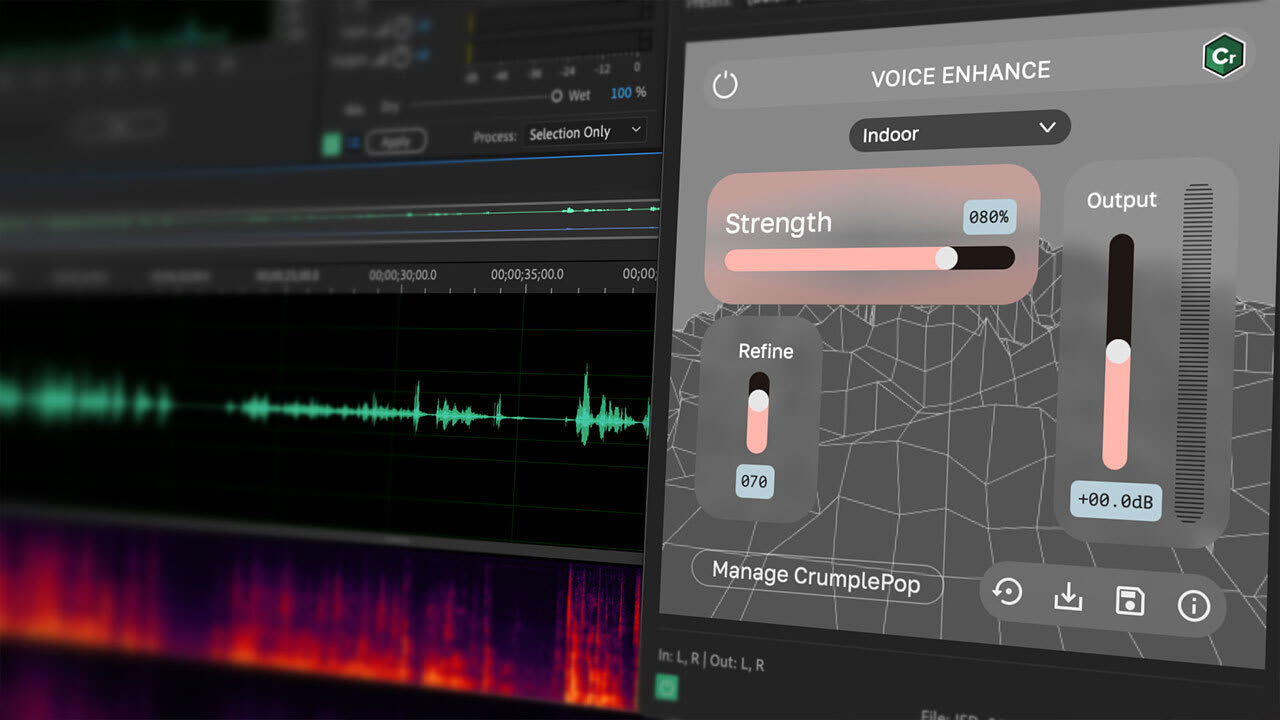
Voice Enhance
Make voice audio sound magically clear, warm, and rich
Trusted by thousands of creators

A lifesaver for me. I’ve been recommending to everyone who will listen.

Jeff Jarvis MD, FlightBridgeED
I love how EchoRemover brings voices forward while enriching my audio with an intimate and impactful sound.

Joel R. Hall
It’s a night and day difference, even to my untrained ear.

Marc Matsumoto, No Recipes
CrumplePop’s audio plugins have completely transformed my finishing workflow.

Taz Goldstein, Chaos Theory Entertainment
CrumplePop EchoRemover is honestly bonkers I’m obsessed with it.

Paul Canetti, Columbia Business School
It’s magic.

Mathieu Drouet
System requirements
"><path d="M4.51406 17.5098L2.71311 15.7398L12.7862 5.83977L22.8594 15.7398L21.0584 17.5098L12.7862 9.37977L4.51406 17.5098Z" fill="%23000000"/></g><defs><clipPath id="clip0_3722_33245"><rect width="24" height="24.4197" fill="white" transform="matrix(-4.44758e-08 -1 -1 4.29601e-08 25 24)"/></clipPath></defs></svg>)
OS Requirements
- Monterey (12.0) and higher
- SoundApp: MacOS 14.0 or later
Processor (CPU)
- 2.7 GHz Intel Core i5 or better. SoundApp requires Apple Silicon (M1 or newer)
System Memory (RAM)
- Plugins: 8GB
- SoundApp: 16GB
Disk
- Plugins: 450 MB free disk space
- SoundApp: 10 GB+ free disk space recommended for optimal performance
Supported Formats
- SoundApp: .wav, .aiff, .mp3, .flac, .aac, .mp4, .mov, .mkv, .mpg, .mpeg, .mxf
OS Requirements
- Windows 10/11 64-bit (32-bit isn’t supported)
Processor (CPU)
- 2.7 GHz Intel Core i5 or better
System Memory (RAM)
- Plugins: 8GB
- SoundApp: 16GB
Disk
- Plugins: 450 MB free disk space
- SoundApp: 10 GB+ free disk space recommended for optimal performance
Supported Formats
- SoundApp: .wav, .aiff, .mp3, .flac, .aac, .mp4, .mov, .mkv, .mpg, .mpeg, .mxf
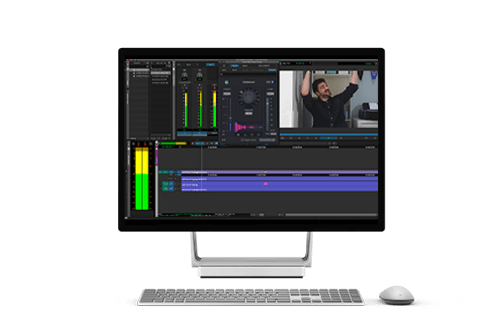

SoundApp ARA: Cleaner, Separated Audio — All Inside Your DAW

SoundApp ARA: Available Inside Pro Tools and More
Everything you need, right where you need it. SoundApp ARA runs directly inside leading DAWs like Pro Tools, Samplitude, Sequoia, Reaper, Cubase, and more.
Stay fully in your workflow, using your existing plugins and tools without bouncing between apps or exporting and re-importing files. You’ll move faster, save time, and stay in your creative flow — without any outside distractions.
How ARA Improves Your Workflow
Smarter, More Accurate Processing
Full-clip analysis gives SoundApp complete context, delivering more precise separation, cleanup, and higher-quality results.
Work Right Inside Your DAW
Work entirely inside your DAW alongside your existing tools. No exporting, re-importing, or switching between apps.
Combine Models for Clearer Audio
Process multiple SoundApp models together. Easily separate, cleanup, and enhance your audio in a single workflow.
No Waiting for Realtime Processing
Instant processing and cached results mean no waiting on playback. Make changes, see updates in the plugin UI, and iterate quickly.
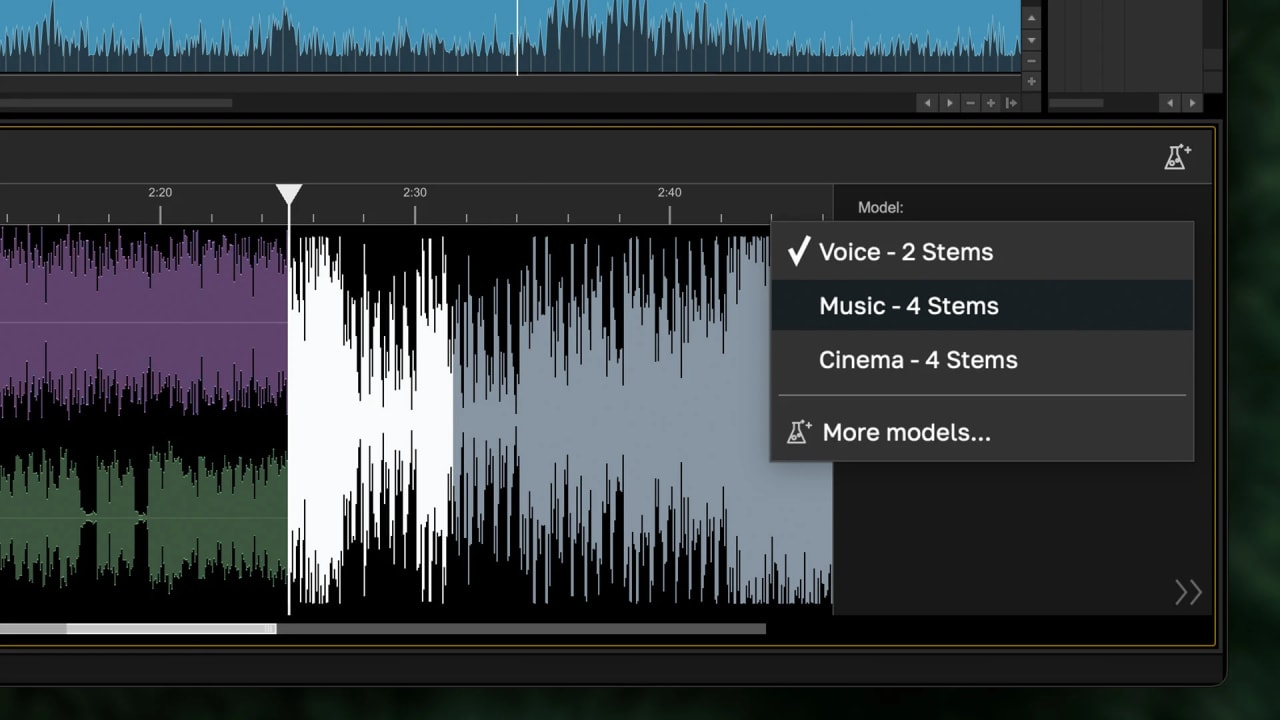
Processed Audio Cache
Run once and continue working. SoundApp’s processed audio cache saves your previous processing, so you can switch between models instantly. Apply a model to a clip once, and that processing carries across every instance in your project.
Compare results, use multiple instances to create new tracks, make changes, and keep moving.
Faster Model Loading and Optimized Performance
Previous releases
SoundApp Demix: Extract, Rework & Remove Audio
Do the unthinkable: Take a fully mixed audio file and easily separate it into editable elements without going back to your original project or session!
SoundApp extracts, readjusts levels, or removes aspects of your audio, including music, voices, sound effects, or individual instruments. Simply drag & drop your video or audio file into SoundApp, select Demix, and find the area you want to preview. SoundApp quickly processes that section so you can listen back immediately — no waiting for the entire clip to process.
No searching through session files. No advanced audio know-how or complicated tools required. Gain flexible control of your audio inside our easy-to-use app.


Music 4 Stems: From Final Mix to Four Tracks
Hear it differently: Instantly separate any song into Voice, Drums, Bass, and Other (Guitar, Synth, etc.), export clean audio tracks, and drop them onto your timeline for complete control.
- Quickly isolate or remove instruments
- Readjust levels
- Export each stem individually
Music 4 Stems makes working with finished tracks fast, flexible, and intuitive. It’s perfect for video editors, aspiring remixers, and music makers alike.
Voice 2 Stems: Separate Voice from Music
Let your voice be heard: Instantly pull Voice from any music. Quickly create instrumental or karaoke tracks, isolate vocals for sampling and remixing, or reduce music that popped in the background.
Voice 2 Stems gives you clean, isolated vocals and music that you can easily use in your own projects without needing the full multitrack project.
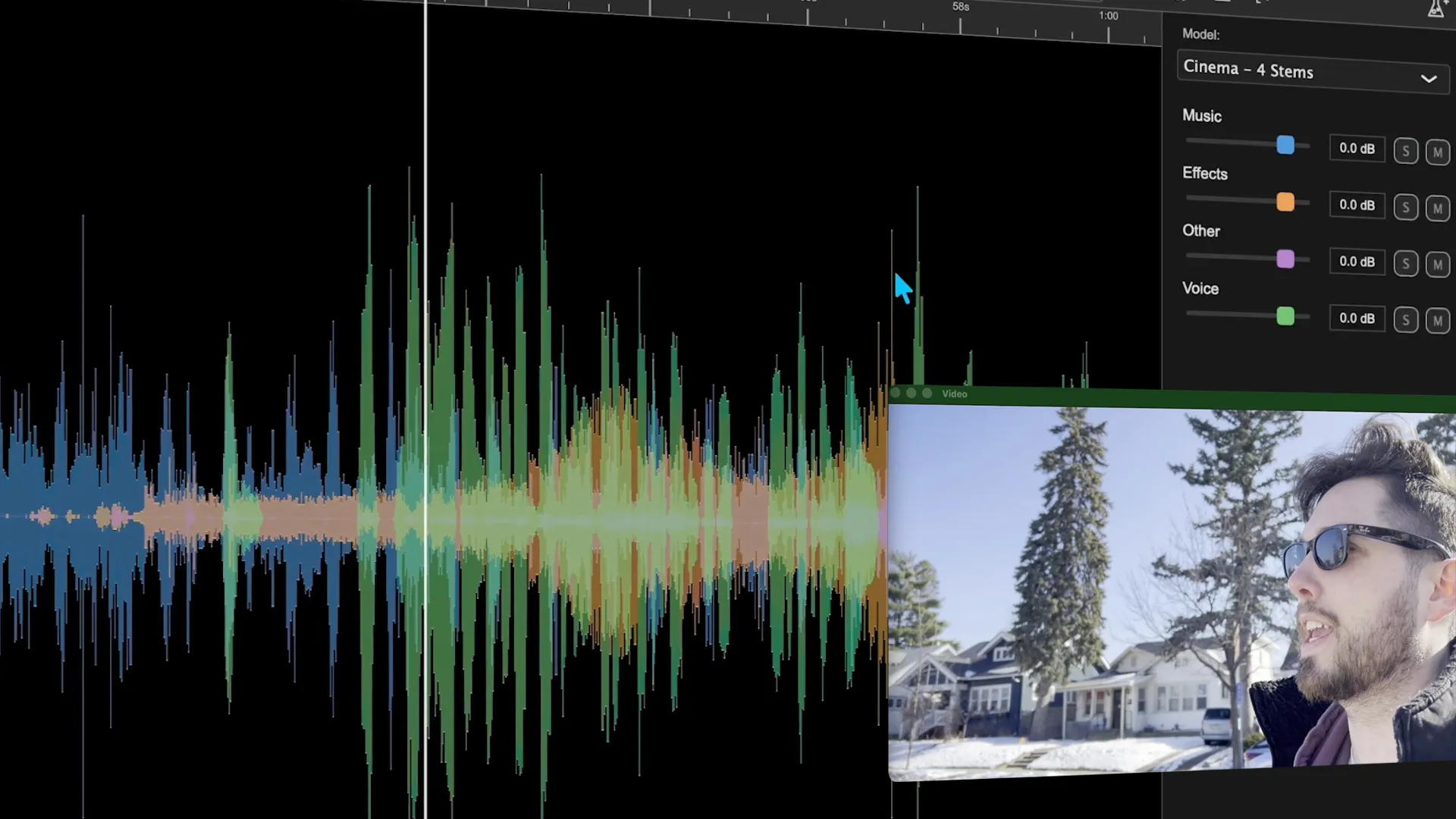
Cinema 4 Stems: Final Export to Editable Tracks
Save time & frustration: Cinema 4 Stems lets you split any video or audio file into Voice, Music, Sound Effects, or Other.
- Easily pull dialogue to reuse in other projects
- Export original sound FX for future continuity
- Remove music from a video that no longer has clearance
You don’t have to open your NLE or dig through archival folders. Open SoundApp, make your adjustments, and export. That’s it.
No Cloud. No Limits. No Waiting.
SoundApp Processes Quickly on Your Computer.
Unlike traditional cloud processing tools that force you to upload a full track and wait for it to finish processing the entire file, SoundApp works on the fly.
Simply move your playhead to the exact moment you need — like a drum hit, a chorus, or a line of dialogue — and processing begins instantly. You won’t waste time with uploads or processing. SoundApp lets you keep working.
When SoundApp begins processing, you’ll immediately see individual waveforms split in real time, with flexible combined or individual track views. Adjust settings and watch the waveforms update instantly.
SoundApp now includes GPU processing, delivering faster performance and the power to handle more complex tasks and exports. Everything runs locally on your machine, giving you unlimited experimentation and exporting while keeping your files private and secure.
SoundApp Denoise: Magically Improve Voiceovers & Dialogue
Get production-ready voiceovers instantly.
SoundApp’s advanced AI cleanup tools remove noise, echo, wind, and other distractions while enhancing vocal clarity and automatically balancing volume levels.
You don’t need deep audio knowledge or expertise. SoundApp gives you professional-sounding audio quickly, whether you’re polishing a video or podcast.
New in CrumplePop 2025.5 by Boris FX

New in CrumplePop 2025 by Boris FX
New in CrumplePop 2024 by Boris FX
See What's New in CrumplePop 2024 | 3:41

What's New in 2023.5
See What's New in CrumplePop 2023.5 | 6:48
Boris FX CrumplePop is the ultimate audio plugin toolkit. Make your audio sound its absolute best with cutting-edge AI technology.
It’s never been easier to take on common audio problems such as background noise, echo, traffic, wind, and more, as well as enhance voice quality for a professional finish. CrumplePop audio tools are simple to use if you’re a beginner and also powerful enough to meet the daily demands of audio professionals.
Get StartedTutorials
Need Help? We've Got You!

CrumplePop Forum
A place for CrumplePop users to discuss tips, tricks, product feature requests, and best practices.
Forum
CrumplePop Help Center
Search technical questions or open a ticket with our knowledgeable support team.
Support
Discord
Join our CrumplePop Discord to exchange tips, get quick help, and connect with fellow VFX artists.
DiscordFrequently asked questions

However, to receive all future updates and new plugins, you’ll need to migrate your account from crumplepop.com to borisfx.com. Luckily, this is an easy process that should only take about two minutes. Simply go to https://borisfx.com/account/crumplepop/ and complete the migration process. At the end of the process, you’ll receive a activation key and a Boris FX Hub app installer. Install and Open the Hub app, then sign in. Click the gear icon in the left corner by your email address and select License activation. There you can enter the activation key from your receipt email.
Your account will continue exactly as it would have on crumplepop.com with no interruptions.
Sign in to the account (links to crumplepop.com/my-account) you use for your subscription. Go to the “Manage Payment” section. Then click the cancel button at the end of the row that contains your payment information. Then click confirm if you wish to cancel. After canceling, you can use your plugins until your renewal date, but the plugins will revert to trial mode after that.
If you purchased on borisfx.com:
Sign in to the account (links to Boris FX account login pop up) you use for your subscription. Go to the “Licenses” tab where you’ll find the option to ‘Cancel Subscription’. By choosing this, you’ll stop any future charges to your account.
Sign in to the account you use for your subscription (links to crumplepop.com/my-account). To view your invoice, simply go to the “Payment History” section and click “see invoice”.
If you purchased on borisfx.com:
Sign in to the account you use for your subscription (links to Boris FX account login pop up). To view your invoice, simply go to the “Orders” section and click “download invoice”.
If you purchased on crumplepop.com and are using the CrumplePop app, your plugins will continue to work. However, to receive all future updates and new plugins, you’ll need to migrate your account from crumplepop.com to borisfx.com. Luckily, this is an easy process that should only take about two minutes. Simply go to https://borisfx.com/account/crumplepop/ and complete the migration process. Your account will continue exactly as it would have on crumplepop.com with no interruptions.
However, to receive a license key, all future updates and new plugins, you’ll need to migrate your account from crumplepop.com to borisfx.com. Luckily, this is an easy process that should only take about two minutes. Simply go to https://borisfx.com/account/crumplepop/ and complete the migration process. At the end of the process, you’ll receive an activation key and an installer for the Boris FX Hub. Install and Open the Hub app, log in with your account. Then click the gear icon in the left corner by your email address and select License activation. There you can enter the activation key.
Your account will continue exactly as it would have on crumplepop.com with no interruptions.
Will this affect my current subscription?
No. Your current plan and pricing will remain unchanged unless you choose to switch or cancel your subscription.
If you have a Multi-Host monthly, annual subscription, your future charges will be lowered to the current pricing.
I’m on a Single-Host subscription – what happens to me?
Your plan will continue to work as is. There is no required upgrade. You’ll get the latest updates to SoundApp and your Single-Host plan’s plugins.
Can I switch to the new plan?
Yes. You can switch to the Multi-Host plan at any time.
Try it for yourself
Subscribe to our newsletter
Get all the latest news, blog posts and product updates from Boris FX, delivered directly to your inbox.
Welcome!
Thanks for opting-in to our newsletter. You'll receive an email momentarily with your confirmation.
